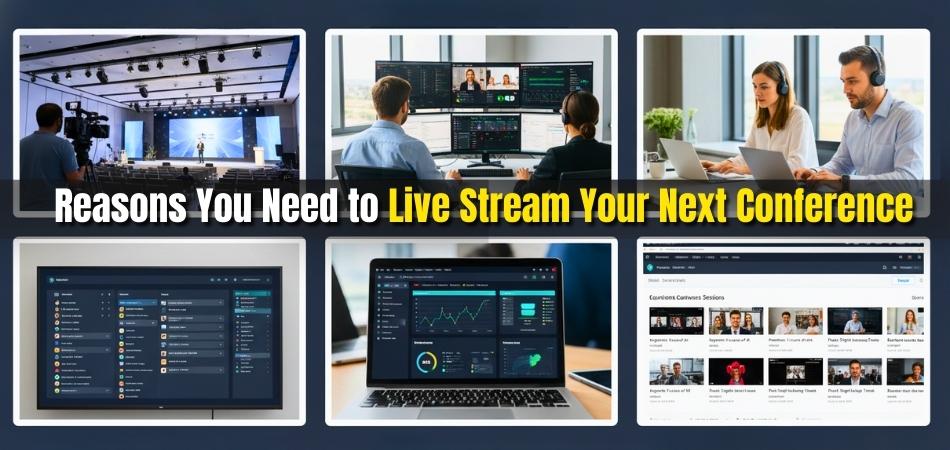
One of the best ways to reach more people worldwide is to live-stream a conference. It allows events to go beyond the physical venue and reach anyone with an internet connection. Many event hosts now use it to share knowledge and boost audience reach. You might be thinking about the 8 reasons you need to live stream your next conference.
Live stream your next conference to reach more people, cut costs, and include remote guests. It boosts engagement through real-time chat and polls, expands your brand, and offers lasting value with on-demand videos. Streaming also gives data to improve future events while keeping your conference flexible and inclusive.
If you are interested in growing your event reach, you’ll enjoy reading this full article. It includes everything you need to know about tools, cost, setup, and tips for smooth live streaming. Stay here to explore simple steps that can make your next event more engaging and successful.
8 Reasons You Need to Live Stream Your Next Conference
Live streaming has changed how we connect with people at events. It helps reach a bigger audience and keeps everyone involved in real time. More organizers now see how simple and effective this method is. If you want to know why it matters, read the points below for clear details.
Wider Audience Reach
Streaming online lets more people take part in your event. Even those far away can join without travel or time limits. It opens the door for a worldwide audience to connect easily. This is helpful, especially for global events like upcoming conferences in Canada, the USA, or any other country, where distance can be an issue.
Cost-Effectiveness And Inclusivity
Online streaming cuts down travel, venue, and setup costs. It allows more people to attend without worrying about big expenses. This also includes people with disabilities or travel limits. It gives equal access to all, making your conference more open and fair to everyone.
Engagement And Interactivity
Streaming tools make your event lively and fun to join. You can use polls, live chat, or Q&A to keep people active. This helps viewers feel part of the event, not just watchers. When people get to join in, they stay interested till the very end.
Increase Brand Awareness
Hosting an event online helps your brand reach more people. You can add your logo, theme colors, and details to the stream. When shared on social media, more viewers learn about your group. It’s a smart way to attract new followers and build your brand name.
Host Remote Speakers
Streaming helps you bring in speakers from any part of the world. You no longer need to plan long trips or handle high travel costs. This makes it simple to include experts with unique views. It also adds variety and value to the event content.
On-Demand Video – Maximise Your ROI
After the live stream ends, your work keeps giving results. You can save the video and share it later on your website or social pages. People who missed the event can still watch it later. This extends your event’s reach and gives long-term value to your effort.
Gather Analytics And Feedback
Streaming platforms give useful data on how your event did. You can see who watched, how long they stayed, and where they came from. This helps you know what worked best and what to improve next time. It’s an easy way to make your next event even better.
Hybrid Event Models
A mix of online and in-person events gives you the best of both worlds. People who like the live setting can attend in person, while others join online. This makes the event more flexible and open to everyone. It’s a great choice for organizers who want a wider reach.
Live streaming makes your event simple, cost-saving, and far-reaching. It helps you connect with people from any place in the world. You can grow your brand while building a better event experience. Start planning your live stream today and see how big your next conference can get.
What Equipment Do You Need to Live Stream a Conference?
Live streaming a conference is easier when you have the right tools. You don’t need expensive gear, but you do need reliable basics. With the right setup, you can make your stream look and sound clear. Let’s look at what equipment you’ll need and how to use it properly.
Camera for Clear Video
A good camera helps your audience see the event clearly. You can use a DSLR, a mirrorless camera, or even a quality webcam. Place it where it can capture the speakers and the audience. Always test lighting before starting, so faces look bright and natural.
Microphone for Better Sound
Good sound is more important than fancy video. Use a lapel mic for speakers or a shotgun mic for panel talks. Plug your mic into your camera or laptop for direct recording. Always check the sound level before going live to avoid noise problems.
Tripod or Mount for Stability
A tripod keeps your camera steady during the stream. It helps avoid shaky or blurry footage. Adjust its height to match the speaker’s level. For smaller setups, a simple phone mount with a ring light can work just fine.
Streaming Software to Go Live
You’ll need streaming software like OBS, StreamYard, or Zoom. These programs connect your camera and microphone to your streaming site. Test your internet speed before the event. A stable connection keeps your video smooth and clear.
Lighting for a Professional Look
Good lighting makes your video look bright and sharp. Use softbox lights or LED panels to light up the stage. Avoid harsh lights that cause shadows. Test your setup a few times before the event for the best results.
Power and Internet Backup
Always keep extra batteries and chargers ready. A power bank can save you during long sessions. If possible, use a wired internet connection for better stability. Wi-Fi may drop, but a cable keeps your stream running smoothly.
Budgeting for Your Setup
Before buying or renting gear, it’s smart to plan your expenses as part of budgeting for a conference. This helps you stay on track with costs and avoid last-minute issues. You can rent cameras or mics instead of buying them. That way, you save money and still get quality results.
Live streaming a conference takes a bit of setup and care. With a simple kit, you can share your event with people anywhere. Always test your gear before the big day. Once everything works smoothly, you’re ready to go live with confidence.
How to Promote Your Live Stream Before the Conference?
Getting people to join your live stream takes some planning. You need to make them excited and remind them often about the event. Social media, email, and event websites are great tools to use. Let’s look at simple ways to reach more people before you go live.
Use Social Media Platforms
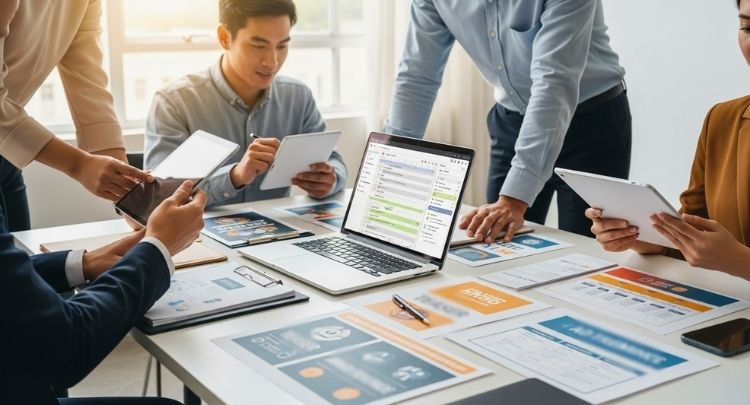
Start by sharing short posts on platforms like Facebook, Instagram, and LinkedIn. Create countdown posts, teaser clips, or quick behind-the-scenes videos. Use hashtags related to the event so people can find your stream easily. Keep your posts friendly and simple, and remind followers about the live date and time.
Send Reminder Emails
Emails help reach people who already know about your event. Write short, clear emails with the live stream date, topic, and a link to join. Add a catchy subject line so people open it right away. You can also send one more reminder email a few hours before you start streaming.
Add It to Event Websites
Posting your stream details on event or conference websites brings more viewers. These sites often have a large audience looking for related content. Make sure your stream title and description are clear and easy to read. Include the time, link, and what viewers will learn from watching.
Work With Speakers Or Partners
Ask your speakers or partners to share your live stream on their pages. Their followers might join in, helping you reach new people. Give them short posts or images they can share easily. This makes it simple for everyone to help promote the event together.
Create a Countdown or Trailer
Make a short trailer video that shows what your stream is about. Share it across all your channels to build excitement. You can also use countdown posts or short clips every day before the event. This keeps your audience interested and reminds them to tune in on time.
Promoting your live stream is all about timing and connection. Remind your audience often and keep your messages short and clear. Use simple visuals and strong invites that make people curious. With the right steps, your stream will reach more people and create real buzz.
How Much Does It Cost to Live Stream a Conference?
Running a live stream for a conference can cost a little or a lot. It depends on how big your event is, how long it runs, and what kind of quality you want. You can hire a streaming team or do it yourself to save money. Let’s look at how to plan your budget step by step below.
Average Cost Range
The cost of live streaming a conference can range from about $500 to over $10,000. Smaller events with fewer than 500 viewers can cost between $0 and $500. Medium events with 500 to 5,000 viewers cost around $500 to $2,000. Large events with more than 5,000 viewers may cost $2,000 to $10,000 or more.
Hiring A Professional Team
When hiring a team, the price includes equipment, setup, and staff. A basic one-camera stream can start at about $1,000 per day. Multi-camera setups with mixing, lighting, and audio control can go up to $5,000 to $10,000. You may also need to cover travel, food, and lodging for the team.
Doing It In-House
If you already have gear and some tech skills, doing it yourself can cut costs. You only need a camera, a microphone, a tripod, and stable internet. Free platforms like YouTube Live or Zoom can help you stream for no cost. The main expense is better lighting or upgraded streaming software.
Key Factors That Raise Costs
Longer conferences need more camera operators and higher bandwidth. Adding graphics, slides, and live chat also raises the total. If you want professional sound and backup internet, the costs go higher. More cameras mean more cables, editing, and crew to manage the setup.
Tips To Stay Within Budget
Start by deciding how many viewers you expect. Plan your camera count and internet speed early. Always ask for full quotes and check what each service includes. A clear plan helps you avoid paying for extras you do not need.
Live streaming a conference can be simple or detailed, based on your needs. You can start small and scale up as your audience grows. Whether you hire a team or go in-house, plan early and set clear goals. This way, you’ll stay on budget and still give viewers a great online experience.
Common Mistakes to Avoid When Live Streaming a Conference
Going live for a conference can be exciting but also tricky. Many hosts face small issues that can ruin a smooth stream. Simple mistakes like weak internet or unclear sound can turn off viewers fast. Keep reading to learn what problems to avoid and how to fix them.
Weak Internet Connection
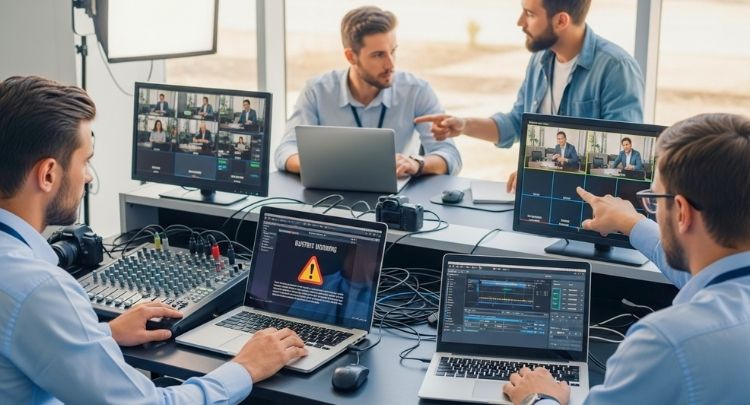
A bad internet line can freeze your video or make it blurry. Always test your upload speed before going live. If the signal is weak, move closer to your router or use a wired connection. You can also keep a backup hotspot ready in case your main internet drops.
Unclear Audio Quality
Viewers may forgive low video quality but not unclear sound. Use a good microphone instead of your device’s mic. Always do a short audio test before starting. Keep background noise low and talk at a steady pace so everyone can hear clearly.
Ignoring Online Viewers
Some hosts focus only on the in-person crowd and forget online viewers. Make sure your camera covers the stage well and your host interacts with both sides. Reading chat messages or taking questions online keeps everyone engaged during the live stream.
Poor Lighting Setup
Dark or uneven lighting can make your stream look dull and unprofessional. Use simple soft lights or place your camera facing natural light. Avoid bright light behind you, as it can make your face look dark. Good lighting helps your stream look fresh and inviting.
Lack of Confident Hosting
Some events fail to engage viewers because the host or moderator isn’t confident on camera. Learning how to anchor an international conference can make your live stream smoother and more professional. A calm, friendly host helps both online and live audiences stay interested throughout the session.
Going live can be simple if you plan a little ahead. Check your internet, sound, and lighting before you start. Keep your online audience in mind and stay confident on camera. These small steps can make your conference stream feel easy, clear, and fun to watch.
FAQs About Reasons You Need to Live Stream Your Next Conference
Live streaming is now a big part of modern events. Many organizers use it to reach more people and share ideas easily. If you’re thinking about live-streaming your next conference, you may have some common questions. Below are helpful answers to make things simple and clear for you.
What Are The Main Benefits Of Live Streaming A Conference?
Live streaming helps you connect with a bigger audience in real time. It removes distance and travel problems, making it easy for anyone to join from anywhere. It also helps you save money on large venues and printed materials. Most importantly, it lets people who miss the event watch it later online.
How Can Live Streaming Improve Audience Engagement?
When you live stream, people can join in through chats and polls. This makes the event more active and enjoyable. You can answer questions instantly and get quick feedback. It helps build a friendly space where both online and in-person guests feel involved.
Can Live Streaming Help Grow My Brand?
Yes, it’s a great way to promote your brand online. Every stream gives you a chance to show your logo and brand design. When people share your live link, more viewers learn about your group. It’s a simple way to build awareness and trust at the same time.
How Can Live Streaming Support International Events?
It makes global participation easy and affordable. People from other countries can join without traveling or spending extra money. This helps you connect with international speakers and audiences. It’s perfect for large events, such as global conferences or training sessions.
What Kind Of Content Works Best For Live Streaming?
Conferences, workshops, and panel talks work very well for streaming. You can also include interviews, Q&A rounds, or short presentations. Simple visuals, clear slides, and natural conversations keep the audience hooked. Always plan your content to match the event’s purpose and tone.
Is It Possible To Record And Reuse The Live Stream?
Yes, you can save the live video and post it later. Many people watch replays if they miss the live session. Sharing the recording helps your content reach new viewers over time. It also gives you ready material for social media posts and future promotions.
How Does Live Streaming Help With Feedback Collection?
Most platforms offer built-in tools to gather comments and views. You can see how many people joined, how long they stayed, and what they liked. This helps you plan better for future events. It’s a smart way to improve based on real audience data.
What Are The Technical Needs For Live Streaming?
You only need a good camera, microphone, and stable internet. Tripods, lights, and streaming software like OBS or Zoom make it smoother. Always test your setup before the event starts. With these basics, you can create a clear and professional stream.
How Does Live Streaming Make Events More Inclusive?
It allows people with travel limits or disabilities to join easily. They can watch from home and still take part through chats or polls. This ensures everyone has a fair chance to attend. It makes your conference open and welcoming to all.
End Note
Live streaming a conference is one of the smartest ways to reach more people today. It connects your event with viewers from anywhere and keeps them engaged in real time. With the right setup, clear sound, and planning, your stream can make a lasting impact.
When you understand the 8 reasons you need to live stream your next conference, it becomes clear why it’s so valuable. It saves money, builds brand awareness, improves reach, and keeps audiences involved. Live streaming gives both local and global viewers a chance to connect easily.
Before your next event, plan your gear, test your setup, and share the stream link early. Keep your audience excited with updates and reminders. Stay calm, be prepared, and have fun while streaming. Wishing you great success with your upcoming live conference.