Google Scholar helps researchers track publications, citations, and academic impact across disciplines. Managing profiles correctly ensures your work appears professional and discoverable. Adding conference papers is important for visibility and credibility. Many authors are unsure where to start online today.
If you are wondering how to add conference paper in Google Scholar, the process is simple. Sign into your profile, choose Add article manually, enter correct details, and optionally link a public PDF. Manual entries appear on profiles not index.
Keep reading to follow a clear step by step guide for adding conference papers correctly. Learn common mistakes to avoid and tips for improving academic visibility. Make your Google Scholar profile accurate, complete, and professional with confidence today online easily.
How Google Scholar Indexes Conference Papers?
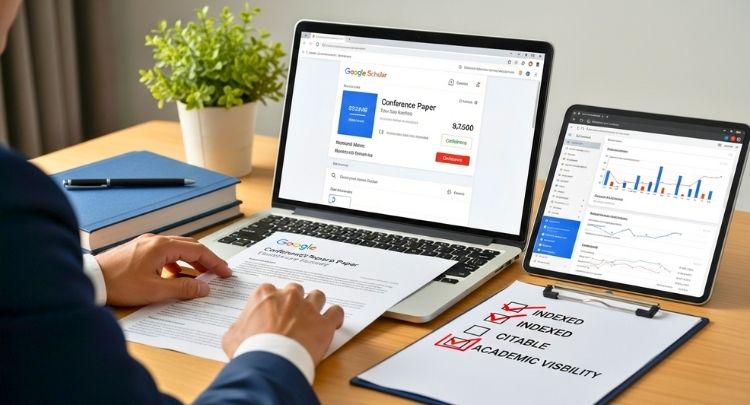
Understanding how indexing works is essential. Many guides explain what buttons to click but not why a paper appears—or doesn’t. Google Scholar does not work like a submission-based database. It relies on automated systems with strict scholarly criteria.
Automated Crawlers and Parsers (Not Manual Review)
Google Scholar uses automated web crawlers, similar to Google Search, but tuned specifically for academic content.
These crawlers:
- Discover publicly available scholarly documents on the web
- Download HTML pages or PDFs
- Extract metadata using automated parsers
- Decide whether the document qualifies for inclusion
There is:
- No manual submission queue
- No approval button
- No guarantee of review
If a crawler cannot access, read, or understand your paper, it will not be indexed — regardless of whether you added it to your profile.
Why this matters:
This is why hosting, formatting, and metadata quality matter more than manual profile entry.
Author Profiles vs Google Scholar Search Index (Critical Differences)
This is one of the most misunderstood points online.
- Author Profiles:
- Managed by the author
- You can manually add papers
- Papers appear only on your profile
- Does not force indexing
Author profiles exist to:
- Group papers you claim authorship of
- Track citations after indexing
- Help disambiguate authors
- Search Index:
- Fully automated
- Independent of your profile
- Only includes papers Google Scholar has crawled and accepted
- Determines whether others can find your paper via search
A paper can appear on your profile but never appear in Google Scholar search results.
Why competitor guides fail:
Most shallow articles incorrectly imply that “adding a paper” means “adding it to Google Scholar’s database.” That is false.
How Google Scholar Decides What Is “Scholarly”?
Google Scholar does not index everything that looks academic. It applies content-quality filters.
Conference papers are more likely to be indexed if they meet these criteria:
Considered Scholarly
- Peer-reviewed or editorially reviewed conference papers
- Papers published in recognized conference proceedings
- Research papers with references, methodology, and authorship
- Papers hosted by universities, publishers, or reputable repositories
Often Rejected or Ignored
- Student projects or class assignments
- Presentation slides without a paper
- Self-published PDFs with no academic context
- Conference papers from low-quality or predatory events
- Image-only or poorly formatted documents
Important:
Google Scholar evaluates the document itself and the site hosting it.
What to Do Before You Add Your Conference Paper?
Before adding your conference paper to Google Scholar, prepare it carefully. These checks help prevent failure, reduce false expectations, and save time. Many authors skip basics and later wonder why their work never appears publicly or receives citations.
Finding Conference Scholarships and Travel Grants
Finding the right conference scholarship starts with knowing where credible opportunities are listed. Instead of searching randomly, use trusted databases and professional platforms that regularly publish verified academic and travel funding opportunities.
- ARMACAD: A well-known platform listing international scholarships, travel grants, and academic mobility opportunities for researchers and conference participants.
- Opportunity Desk: Regularly updates conference funding, travel grants, and short-term academic opportunities across multiple countries and disciplines.
- Professional Society Websites: Many academic societies publish conference travel grants directly on their official sites, especially for early-career researchers and students.
- University Research Offices: Institutional research or graduate offices often maintain internal funding pages listing active conference travel support and deadlines.
- Official Conference Websites: Reputable conferences frequently announce travel grants or fee waivers under sections like “Funding,” “Scholarships,” or “Author Support.”
Technical Requirements
Make sure your paper lives on a public webpage with a clean, stable address. Anyone should open it without accounts, passwords, or payments. Allow crawlers by checking robots.txt rules carefully. Universities, publishers, and repositories work best, especially when promoting upcoming conferences in Canada, the United States, or the United Kingdom.
Note: Public PDFs alone are not enough. Pages with proper citation meta tags index more reliably in Google Scholar.
File Format Requirements
Use a searchable PDF or simple HTML file that machines can read easily. Place the paper title and author names clearly on the first page. Avoid scanned images, photos, or slides because text recognition often fails and stops indexing completely.
Copyright & Permissions
Only upload full papers when the publisher or conference allows public sharing. Many publishers restrict final versions but permit preprints or accepted manuscripts. Check policies before uploading to avoid removal requests or blocked access that prevents indexing later.
How to Add a Conference Paper to Google Scholar: Step-by-Step
Adding a conference paper to Google Scholar allows you to display your work in your author profile and make it easier for others to associate the paper with you. This process is useful when Google Scholar has not automatically detected your paper.
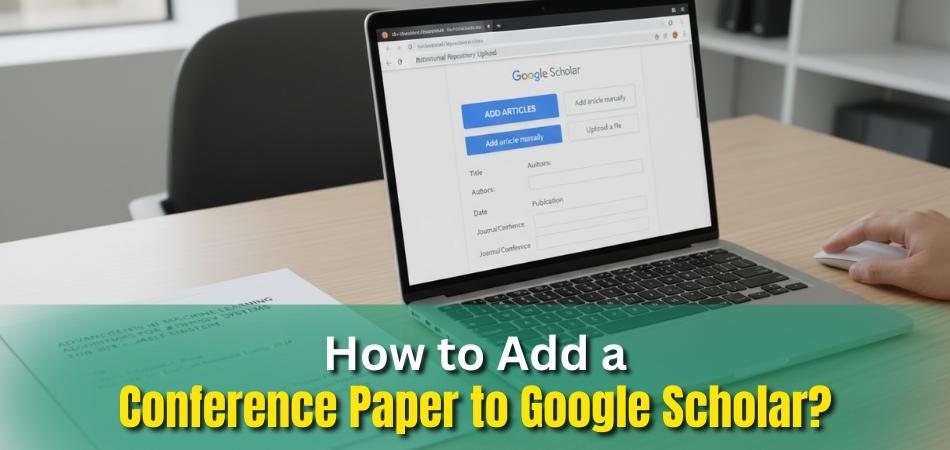
The steps below explain how to manually add a conference paper to your profile. Keep in mind that this action controls what appears in your profile, not whether the paper is indexed in Google Scholar’s search results. Indexing depends on separate automated systems, which are explained in later sections.
Step 1: Create or Access Your Google Scholar Profile
- Go to scholar.google.com
- Sign in using your Google account
- Click “My profile” in the top navigation
- If you don’t have a profile yet, follow the prompts to create one
Your profile is where all manually added papers will appear.
Step 2: Choose “Add Article Manually”
- From your profile, click “Add”
- Select “Add article manually”
This option is used when Google Scholar has not automatically found your conference paper.
Step 3: Enter Accurate Paper Metadata
Fill in the fields carefully:
- Title (exactly as published)
- Authors (use consistent name formatting)
- Conference name
- Publication year
- Optional: abstract, pages, volume, URL
Accuracy is critical. Incorrect or inconsistent metadata can reduce discoverability or cause duplicate entries later.
Step 4: Upload or Link a PDF (Optional but Recommended)
If allowed by the publisher or conference:
- Upload a searchable PDF, or
- Provide a publicly accessible URL to the paper
This step improves visibility but does not guarantee indexing.
Avoid private cloud links or files behind login walls.
Step 5: Save and Verify Appearance in Your Profile
- Click Save
- Confirm the paper appears in your Scholar profile
The paper should be visible immediately within your profile.
Appearance in Google Scholar search results depends on separate automated indexing processes.
Step 6: Merge Duplicate Entries (If Google Adds Another Version Later)
Sometimes Google Scholar indexes an official version of your conference paper after you have already added it manually. When this happens, your profile may show two separate entries for the same paper. This splits citations and creates confusion.
To fix this, go to your Google Scholar profile and select the checkboxes next to both versions of the paper. Click the Merge button at the top of your profile. Review the merged details carefully, then confirm. Google Scholar will combine citations into a single record, keeping your profile clean and accurate.
Merging duplicates does not affect indexing itself, but it ensures correct citation counts, prevents fragmented records, and improves long-term profile reliability.
Important Notes for Long-Term Accuracy
- User interface steps may evolve: Button labels or menu placement can change over time.
- Core process remains stable: Creating a profile, adding an article manually, and entering metadata have remained consistent for years and can be updated easily if needed.
- Indexing is independent of these steps: Adding a paper to your profile does not control whether it appears in search results.
Will Your Conference Paper Appear in Search Results?
Many authors expect their conference paper to appear instantly after adding it to Google Scholar, but results vary widely. The short answer is yes, maybe, or no, depending on several technical and quality factors. A paper can appear in your profile yet remain invisible in search results. Understanding this difference helps set realistic expectations and avoids unnecessary frustration later.
Yes: When Google Scholar Successfully Indexes Your Paper
Your conference paper can appear in search results when Google Scholar crawlers clearly access, read, and understand it. Public availability plays a major role, because private or restricted files block discovery completely. Strong metadata improves confidence, helping systems recognize authorship, venue credibility, and publication context. Hosting on respected academic websites further increases trust signals, encouraging inclusion within the searchable scholarly index.
Maybe: When Technical Signals Create Uncertainty
Some papers appear inconsistently because technical signals provide mixed or incomplete information to indexing systems. Missing metadata fields confuse parsers, especially when titles, authors, or years differ across versions. Uploading files after submitting your conference paper may delay discovery if crawlers visit infrequently. Weak hosting platforms also reduce reliability, causing delayed or partial indexing outcomes across search results.
No: When Google Scholar Filters the Paper Out
A paper may never appear if Google Scholar decides it does not meet scholarly inclusion standards. Image-only PDFs fail because systems cannot extract readable academic text or references. Conference papers from low-quality or unclear events often receive lower credibility signals. Files blocked by robots.txt rules prevent crawlers entirely, resulting in permanent exclusion from search listings.
Profile Visibility Does Not Equal Search Visibility
Author Profile Visibility
- Controlled by you
- Allows manual addition of papers
- Shows what you claim as your work
- Does not force indexing
Search Index Visibility
- Fully automated
- Controlled by Google Scholar’s crawlers and filters
- Determines whether others can find your paper via search
- Independent of your profile actions
A paper can exist in your profile forever and still never appear in search results. Manual entries can also produce incomplete or incorrect citation data. After adding a paper manually, always click the Cite button on that entry and review the generated APA or BibTeX citation. Missing conference names, page numbers, or publication years can lead to incorrect citations when others reference your work.
Factors That Improve Long-Term Discoverability
Google Scholar considers:
- Public access (no login, no paywall)
- File format (searchable PDF or HTML)
- Metadata quality (clear title, authors, venue)
- Hosting source (trusted academic platforms perform better)
- Scholarly signals (citations, references, research structure)
Manual entry helps attribution — hosting and formatting determine indexing.
How to Prepare a Simple Budget for Conference Funding Applications?
Many conference scholarships require a clear budget proposal. Asking for the wrong amount often leads to rejection, even when eligibility is strong. A basic, transparent breakdown helps reviewers understand your needs and approve funding faster.
Typical conference budget components include:
- Airfare: Round-trip economy fare based on realistic travel dates
- Visa fees: Application, biometrics, and related processing costs
- Accommodation: Hotel or university housing for conference duration
- Daily allowance (Per Diem): Meals and local transportation
- Registration fees: Conference registration or workshop access, if not waived
Best Practices to Maximize Indexing of Your Conference Papers
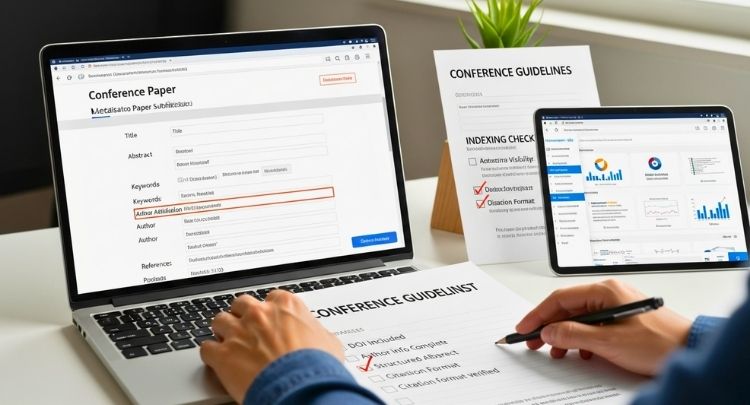
Strong indexing does not happen by accident. These best practices help search systems recognize your work as scholarly, reliable, and worth indexing. They follow global research standards, remain useful through platform changes, and give you a clear competitive advantage over low-quality submissions. Here are the best practices to adapt for maximizing the chance of your conference paper indexing:
Use Trusted Hosting
Trusted hosting gives your paper a stable home that search crawlers can reach easily and repeatedly. Universities, official conference proceedings, and recognized preprint servers like arXiv signal academic legitimacy and long-term availability, which greatly increases indexing success.
Use Persistent Identifiers
Persistent identifiers help systems connect your paper to you without confusion or duplication. A DOI provides a permanent paper link, while ORCID links your identity across platforms, improves attribution accuracy, and supports cleaner citation tracking across databases.
Metadata Hygiene
Clean metadata helps indexing systems read your paper correctly without guesswork or errors. Use consistent author names, stable institutional affiliations, and clear references. Small inconsistencies often cause missed indexing, duplicate records, or incorrect author attribution in search results.
Prefer Open Access Versions
Open access versions remove barriers that block crawlers and readers. Accepted manuscripts or preprints usually index more reliably than restricted publisher PDFs. When allowed, sharing these versions increases visibility, speeds discovery, and supports long-term access regardless of publisher platform changes.
Common Reasons Conference Papers Fail to Index
Many conference papers fail to appear in search results due to avoidable technical or quality issues. Understanding these problems helps you troubleshoot effectively, set realistic expectations, and improve trust. Most indexing failures relate to how systems like Google Scholar access, evaluate, and classify scholarly content.
Metadata Errors
Metadata errors confuse indexing systems and prevent accurate paper identification. Missing titles, inconsistent author names, incorrect publication years, or unclear conference names often break metadata parsing. When systems cannot confidently extract details, they may skip indexing or create incomplete records that never surface in search results.

Low-Quality Hosting
Low-quality hosting reduces trust and limits crawl priority. Personal blogs, unstable websites, or poorly maintained domains often signal weak academic credibility. Indexing systems favor university repositories, official proceedings pages, and recognized research platforms because they provide stable access, consistent structure, and long-term reliability.
File Accessibility Issues
File accessibility issues block crawlers before evaluation begins. Login requirements, paywalls, private cloud links, or blocked robots.txt rules prevent document access. Image-only or scanned PDFs also fail because systems cannot read text. If crawlers cannot open and parse files, indexing cannot occur.
Conference Credibility Problems
Conference credibility strongly influences indexing decisions. Papers from predatory, non-reviewed, or unclear conferences often fail scholarly checks. Missing proceedings pages, vague conference details, or absent editorial standards reduce trust signals. Indexing systems prioritize research linked to recognized academic events and transparent publication practices.
Tips for Monitoring, Maintenance & Updates
Maintaining robust IT systems requires a balanced approach to monitoring performance, performing routine maintenance, and applying timely updates. To ensure consistency across documentation, especially when presenting technical strategies, it’s helpful to understand how to structure conference papers effectively. To minimize downtime, enhance security, and ensure long-term reliability, we have outlined practical tips for each area below:

Monitoring
Effective monitoring involves tracking system health in real-time to detect issues early. Here are key recommendations:
- Establish baselines and thresholds: Define normal performance levels (e.g., average CPU usage or network latency) to set alerts for deviations, enabling proactive issue resolution.
- Implement automated tools and alerts: Use monitoring software to receive real-time notifications for abnormalities, such as high resource usage or errors, allowing quick intervention before problems escalate.
- Regularly analyze logs: Collect logs from systems to gain insights into errors, security incidents, and usage patterns, which can inform optimizations and troubleshooting.
- Assess your environment and set objectives: Start by evaluating current IT setup, then choose tools that align with goals like uptime or performance metrics, and configure custom alerts.
- Focus on comprehensive coverage: Monitor hardware, software, networks, and applications to prevent downtime and improve user experience.
Maintenance
Routine maintenance keeps systems efficient and secure. Prioritize proactive strategies over reactive fixes:
- Define asset categories and responsibilities: Categorize IT assets (e.g., servers, networks), assign clear roles to team members, and set maintenance schedules to avoid oversights.
- Create a detailed checklist: Include tasks like hardware inspections, data backups, and performance tuning to ensure nothing is missed during regular reviews.
- Conduct regular security audits and backups: Scan for vulnerabilities, verify access controls, and perform frequent backups to protect against data loss or breaches.
- Replace outdated components proactively: Identify and upgrade aging hardware or software to maintain efficiency and compatibility.
- Set measurable goals: Establish success criteria, such as reduced downtime or improved response times, to track the effectiveness of your maintenance efforts.
Updates
Keeping systems updated is essential for security and functionality. Follow a structured process:
- Schedule consistent updates: Plan regular patches for software, firmware, and operating systems to address vulnerabilities without disrupting operations.
- Apply patches promptly: Prioritize security updates and test them in a staging environment before full deployment to minimize risks.
- Automate where possible: Use tools to automate update deployments and notifications, ensuring compliance and reducing manual effort.
- Monitor post-update performance: After applying updates, check for compatibility issues or regressions through your monitoring setup.
- Include all components: Don’t overlook network devices, applications, or third-party tools in your update routine to maintain overall system integrity.
FAQs about Adding Conference paper in Google Scholar
Adding conference papers to Google Scholar often raises practical questions beyond basic steps. Many users struggle with visibility, corrections, updates, and long-term management. This FAQ section addresses overlooked concerns. Each answer provides concise, reliable guidance. These points help researchers avoid confusion and improve outcomes.
Can I Edit A Conference Paper After Adding It To My Profile?
Yes, you can edit manually added conference papers at any time. Open your profile, click the paper title, choose edit, and update metadata fields. Editing helps fix errors, improve accuracy, and prevent long-term citation or attribution problems.
Does Google Scholar Notify Me If My Paper Gets Indexed?
Google Scholar does not send notifications when indexing occurs. You must check manually by searching the paper title periodically. Citation counts appearing later may indicate indexing success, but absence of alerts is normal and expected behavior.
Are There Any Conference Scholarships or Funding Opportunities Available Right Now?
Conference-related scholarships and travel grants change every year. While this guide focuses on adding papers to Google Scholar, many conferences, universities, and research organizations offer active funding opportunities in 2025 and 2026. Always check official conference websites and institutional announcements for the most current and open scholarship programs.
Can I Add A Conference Paper Without Uploading Any File?
Yes, you may add a paper using metadata only, without uploading a file. This records authorship in your profile. However, without a public full-text version elsewhere, search indexing chances remain very low.
Should I Add Conference Posters Or Abstracts To My Profile?
You may add posters or abstracts, but Google Scholar rarely indexes them. These items lack full research structure and scholarly signals. Adding them may clutter your profile without improving discoverability or citation potential significantly.
How Do I Remove A Conference Paper From My Profile?
To remove a paper, open your profile, select the item, and click delete. Removal affects only your profile listing. If indexed elsewhere, deletion does not remove versions hosted on external sites.
Can Multiple Versions Of The Same Conference Paper Cause Problems?
Yes, multiple versions can confuse attribution and split citations. Google Scholar may merge versions automatically, but errors happen. Maintaining consistent titles, authors, and publication details reduces duplication and improves accurate citation tracking.
Is It Better To Wait For Automatic Detection Before Adding Manually?
Waiting can help if your paper appears on a reputable site. Automatic detection often creates cleaner records. Manual addition works best as a fallback option when indexing delays persist or the paper remains undiscovered.
Can I Add Conference Papers Written With Co-Authors?
Yes, you can add co-authored conference papers to your profile. Ensure author names appear in correct order and consistent spelling. Accurate authorship prevents disputes, misattribution, and future merging issues across multiple profiles.
Does Adding A Paper Increase Citations Automatically?
Adding a paper does not directly increase citations. Citations depend on visibility, relevance, and scholarly use. Indexing, open access, and reputable hosting influence citation growth far more than profile presence alone.
Can I Add A Conference Paper That Has No DOI?
Yes, a DOI is not required to add a conference paper. Many conference papers lack DOIs. Clear metadata, public access, and credible hosting matter more for indexing and long-term discoverability than identifiers alone.
Final Thoughts
Getting your research in front of the right people takes more than writing a strong conference paper. You also need to understand how academic search platforms discover and evaluate content. Learning how to add conference paper in Google Scholar helps you manage authorship and improve visibility.
Simply adding a paper to your profile does not guarantee search indexing. Using trusted hosting, clear metadata, and accessible file formats greatly improves discoverability. Small technical choices often determine whether your work appears in results or remains hidden. By following the right steps and best practices, you increase the chances that your conference paper reaches the audience it deserves.