
Whether you’re stepping onto a stage or delivering virtually, having a structured and visually polished guest speaker presentation template can completely change how your audience receives your message. It keeps your slides focused, your visuals aligned, and your key ideas clear from start to finish. A strong template not only enhances design consistency but also builds confidence as you present.
From corporate summits to global conferences, using the right presentation template ensures your talk feels engaging, professional, and well-organized. In this guide, you’ll learn how to customize your template, structure your slides effectively, and deliver a presentation that leaves a lasting impact.
Examples of Guest Speaker Presentation Templates
Choosing the right template helps your message stand out and ensures your slides match the tone and purpose of the event. Below are several examples to guide your selection, along with a simple downloadable template you can customize. Each one helps presenters share their message clearly while keeping slides visually engaging and aligned with the event’s tone and purpose.
Corporate or Business Event Template
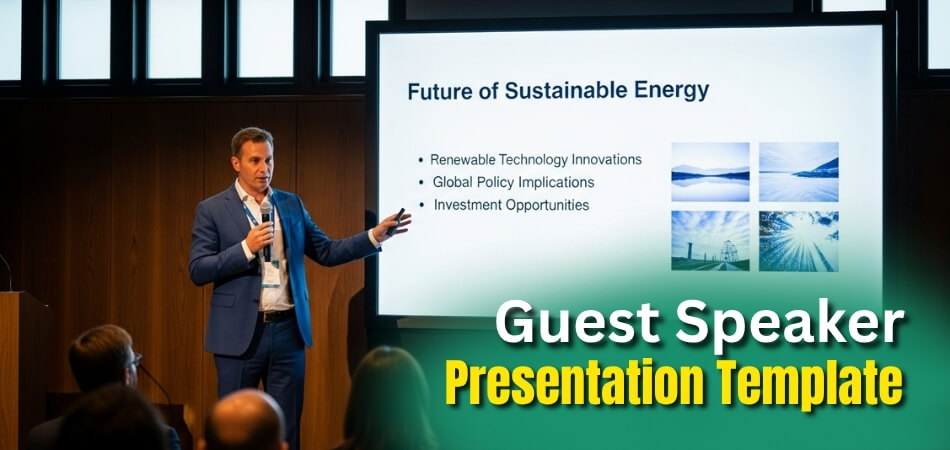
This template features a clean, professional layout with subtle color schemes and modern typography. It highlights charts, graphs, and case studies to communicate return on investment, performance data, and business insights clearly. Each slide balances visuals with minimal text to keep the focus on your key message.
Academic or Research Conference Template
Designed for scholars and researchers, this layout uses a minimalist design with emphasis on clarity and precision. Data visuals, diagrams, and methodology sections are integrated seamlessly. There’s also a dedicated slide for citations or references, making it suitable for professional conferences or educational symposiums.
Motivational or Leadership Event Template
This design uses bold visuals, engaging colors, and storytelling slides that connect emotionally with the audience. It focuses on personal journeys, lessons learned, and actionable insights. Fewer text blocks and impactful quotes keep the energy high throughout the session.
Virtual or Hybrid Event Template
Created for online or mixed settings, this template incorporates interactive visuals, camera-friendly layouts, and accessible fonts. Slides include visual cues for screen sharing and space for live polls or Q&A prompts, ensuring participants stay engaged regardless of location.
Nonprofit or Social Impact Template
Ideal for awareness campaigns or fundraising presentations, this layout uses emotional storytelling with images, statistics, and inspiring calls to action. It balances factual information with a heartfelt narrative to connect deeply with viewers.
Basic Guest Speaker Presentation Template
If you want a simple yet effective starting point, download the basic guest speaker presentation template below. It includes:
- Title Slide (Name, topic, event)
- Speaker Introduction
- Core Idea or Problem Statement
- Visual Slide (Image or Infographic)
- Case Study or Example
- Summary and Key Takeaways
- Q&A and Closing Slide
Selecting the right Guest Speaker Presentation Template depends on your event type and speaking goals. Whether you’re presenting data, telling a story, or inspiring action, a structured template helps you maintain flow and focus while enhancing your overall impact on the audience. From corporate meetings to upcoming conferences in Canada, the USA, or elsewhere, the right design ensures your message connects powerfully with every audience.
Core Components of an Effective Guest Speaker Presentation
A strong presentation follows a clear structure that guides your audience smoothly from introduction to conclusion. Each component plays a specific role in keeping attention and reinforcing your message. Let’s look at the key elements before moving to the next discussion.
- Title Slide: Display your presentation title, name, event details, and date. Keep it simple, professional, and visually aligned with the event’s theme to create a strong first impression as soon as you appear on screen.
- Introduction Slide: Start with a short question, quote, or visual hook related to your topic. This sets the tone, grabs attention instantly, and encourages your audience to focus on what’s coming next.
- Agenda or Overview Slide: Outline what your audience can expect to learn. A clear agenda gives structure to your talk, helps participants follow along easily, and shows professionalism in your preparation.
- Main Content Slides: Divide your core ideas across multiple slides, each focusing on a single point. Use concise text, charts, and visuals to make your message more engaging and easy to understand.
- Case Study or Example Slide: Add credibility by including a real-world example or case study. Highlight the problem, solution, and result so your audience can relate the concept to practical, real-life applications.
- Summary and Takeaways Slide: Reinforce your key message with three to four bullet points. Provide actionable insights your audience can apply, ensuring they leave the session with clear, memorable lessons.
- Q&A Slide: Invite participation by including a dedicated question slide. It encourages discussion, interaction, and helps clarify concepts while keeping the session dynamic and engaging for attendees.
- Closing Slide: End with a thank-you note, your contact information, and any additional resources. This final slide leaves a professional impression and encourages post-event communication or collaboration.
By including these core components, your presentation will feel cohesive, purposeful, and visually balanced. Each slide contributes to a logical flow that captures attention and delivers real value to your audience.
Step-by-Step Guide to Using a Guest Speaker Presentation Template
A structured presentation helps you maintain flow, confidence, and audience engagement. Follow these simple steps to organize your slides effectively and deliver a presentation that feels polished, natural, and impactful. Let’s review each step before moving to the next discussion.

Choose a Template That Matches Your Purpose
Every event has its own tone and audience expectations. Choose a design that fits the setting—formal for business sessions, clean for academic ones, or vibrant for motivational events. The layout should match your topic and reflect the role of a guest speaker effectively.
Customize Visuals and Colors to Fit the Event
Adjust your visuals, color palette, and typography to reflect the event’s branding. Consistency creates a professional impression and strengthens your connection with the organizer’s identity, ensuring your presentation looks intentional and visually harmonious throughout.
Add Personalized Content and Speaker Notes
Incorporate meaningful stories, statistics, or experiences that relate to your audience’s needs. Write brief speaker notes to guide your flow while staying conversational. Personalizing content makes your talk relatable and gives authenticity to your message delivery.
Include Interactive Elements to Engage Your Audience
Integrate short videos, quick polls, or creative visuals to sustain attention. These interactive features make complex ideas easier to grasp and turn your presentation into an engaging experience rather than a one-way speech for your listeners.
Rehearse the Full Deck Before the Event
Practice your entire presentation several times to check pacing, transitions, and timing. Familiarity with the slide flow boosts your confidence, minimizes errors, and helps you appear composed, even during large or virtual conferences.
Each of these steps contributes to a smooth, professional, and confident delivery. By planning ahead and practicing carefully, you can create a presentation that keeps your audience engaged from the first slide to the last.
Why Do Guest Speakers Need a Structured Presentation Template?
A structured presentation template does more than just make your slides look good—it helps you organize ideas, maintain clarity, and deliver a memorable experience. Here’s why having a well-designed layout matters before moving to the next discussion.
Creates a Clear Storytelling Flow
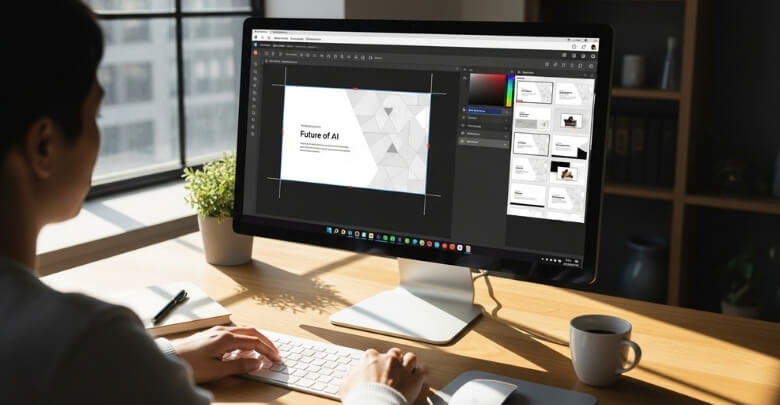
A structured format allows you to present your ideas in a logical sequence. It connects each section naturally, guiding your audience from introduction to conclusion. This storytelling flow helps listeners understand and remember your message, rather than simply watching disconnected slides.
Saves Time and Increases Focus
Having a clear format also helps your content flow naturally. Each part connects with the next, leading your audience from introduction to conclusion without confusion. This structured rhythm turns your slides into a story that’s easy to follow and hard to forget.
Ensures Visual Consistency and Professional Appeal
Consistency across colors, layouts, and typography enhances credibility. A presentation that matches the event’s branding gives a cohesive look and strengthens trust. This uniformity makes your session appear organized and thoughtfully prepared, leaving a lasting professional impression.
Boosts Confidence for New Speakers
Templates act as silent guides during preparation. They outline where each idea fits, helping you focus on storytelling and timing instead of structure. This built-in support reduces anxiety and gives both new and seasoned speakers the confidence to deliver smoothly.
Increases Engagement and Message Retention
Visually clear, well-balanced slides make it easier for audiences to grasp your key points. A structured design enhances understanding, improves focus, and helps your core ideas stick long after the presentation ends.
A structured template keeps your delivery clear, consistent, and compelling. By relying on an organized framework, you can elevate both the visual quality and communication impact of your presentation, ensuring your message truly resonates.
Free vs. Premium Guest Speaker Templates: Which Should You Choose?
Choosing between a free and premium presentation template depends on your event’s scale, goals, and time for customization. Both options have strengths worth considering. Let’s break down the differences and help you decide which suits your needs before moving to the next discussion.
Free Templates: Simple and Accessible
Free templates are ideal for smaller events, classroom talks, or internal team sessions. They offer clean, basic layouts that are easy to customize with minimal effort. While they may lack complex features, they’re perfect when you need something quick, functional, and budget-friendly.
Premium Templates: Advanced and Customizable
Premium templates come with modern design elements, animations, and multiple slide variations. They’re great for professional conferences, brand presentations, or high-stakes talks where visual appeal matters. These templates often include editable icons, graphs, and media options for seamless customization.
Choosing the Right Option
Your decision should depend on the event’s importance, expected audience, and available prep time. If design flexibility and visual impact are priorities, premium templates are the better choice. For smaller-scale or last-minute sessions, free templates are sufficient and efficient.
Quick Comparison
| Feature | Free Templates | Premium Templates |
| Cost | Free to download and use | Paid (one-time or subscription) |
| Design Quality | Basic, minimal visuals | High-end, professional aesthetics |
| Customization Options | Limited colors and layouts | Full editing, animations, and variations |
| Ideal For | Small events, classroom talks | Large conferences, branded presentations |
| Ease of Use | Quick setup, less flexible | More detailed, requires editing time |
| Support & Updates | Usually not included | Often includes updates and support |
Free templates are practical for quick use, while premium ones add polish and professional depth. Consider your audience, topic, and event scale before deciding. The right choice ensures your visuals match the quality and intent of your message.
How to Design Your Own Guest Speaker Presentation Template?
Designing your own presentation template gives you full control over how your message looks and feels. It allows you to match your content with your speaking style and the event’s tone. Let’s explore the essential design steps before moving to the next discussion.
Start With Your Audience in Mind
Begin by defining what your audience needs to learn, feel, or do after your session. Craft slides that lead them toward those goals. Keeping the audience at the center ensures every element of your presentation serves a clear and meaningful purpose.

Use Visuals to Support, Not Replace, Your Message
Choose visuals that enhance understanding rather than distract. Avoid clutter by limiting text and focusing on one idea per slide. Use images, icons, and infographics to simplify complex points and create a clean, visually balanced presentation.
Maintain Design Consistency Throughout
Stick to one font family, unified slide layouts, and a cohesive color palette that reflects the event’s branding. Consistency across visuals, spacing, and alignment gives your slides a professional flow and helps your audience stay focused on the message.
Include Space for Storytelling and Reflection
Leave intentional white space for impactful quotes, short stories, or moments where you connect personally with the audience. These pauses make your session feel human and relatable, increasing engagement and emotional connection throughout your presentation.
Save and Reuse Your Template for Future Events
Once finalized, save your deck as a reusable template for later speaking engagements. This not only saves time but also helps maintain your signature style. It’s a valuable part of any guest speaker preparation guide for creating a consistent personal brand.
Designing your own presentation template combines creativity with strategy. When every slide reflects your purpose, your message resonates more deeply, and your audience experiences a polished, authentic delivery from start to finish.
Tips for Delivering a Powerful Guest Speaker Presentation
Delivering a presentation effectively requires clarity, rhythm, and audience connection. The following tips will help you speak with confidence, engage your listeners, and make your message memorable. Let’s explore these techniques before moving to the next discussion.
- Keep Slides Simple: Focus on one main idea per slide to avoid clutter. Simplicity improves comprehension and ensures your audience pays attention to you rather than trying to read dense text.
- Use Visuals as Conversation Aids: Treat your visuals as supportive tools that guide your story. Avoid reading directly from the slides; instead, use images or charts to illustrate your message naturally and conversationally.
- Engage Your Audience Early: Ask a thought-provoking question, share a short story, or invite quick reflection. Early interaction helps capture attention and sets an energetic tone that encourages participation throughout your session.
- Practice Transitions and Timing: Rehearse your flow from one slide to the next. Smooth transitions maintain engagement and keep the presentation cohesive, allowing your message to build logically from point to point.
- End With a Clear Takeaway: Conclude by emphasizing one actionable idea you want attendees to remember or apply. A strong closing statement reinforces your key message and leaves a lasting impression on your audience.
When you combine structure, storytelling, and confidence, your presentation becomes more than a speech; it becomes an experience. Clear visuals and strong delivery help transform your talk into something your audience truly remembers.
Common Mistakes to Avoid When Using Presentation Templates
Even the best-designed templates can fall short if not used correctly. Avoiding common errors ensures your presentation looks polished and professional. Let’s go through the most frequent mistakes and how to prevent them before moving to the next discussion.
Overloading Slides With Text
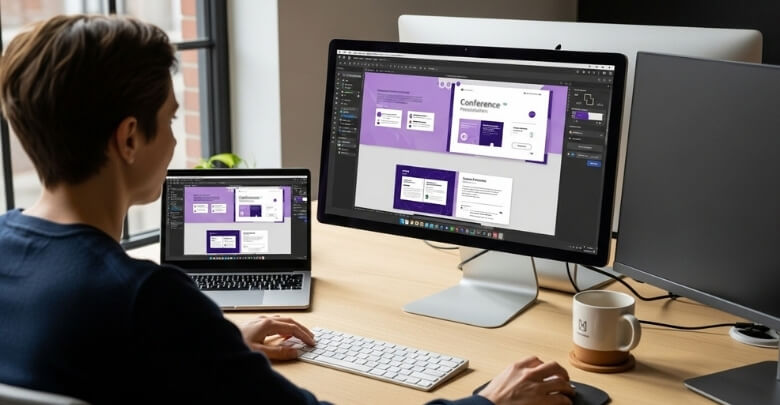
Filling slides with long paragraphs or too many bullet points distracts your audience. Keep your message concise and focus on visuals that reinforce key ideas. The goal is to support your talk, not compete with it for attention.
Using Inconsistent Colors or Fonts
Mixing random fonts or mismatched color schemes breaks visual harmony. Stick to one font family and a unified color palette that aligns with the event’s theme. Consistency creates visual flow and strengthens your professional credibility.
Leaving Placeholder Content Unchanged
Forgetting to update template placeholders like names, dates, or logos looks careless. Always review every slide before presenting. Double-check details to ensure your presentation feels authentic and customized to your topic and event.
Skipping Rehearsal Time
Not testing your presentation can lead to timing issues or awkward transitions. Practicing helps you spot design or layout problems early, ensuring your delivery feels smooth and confident during the actual session.
Failing to Adapt the Template to Your Talk
Templates are tools, not scripts. Customize your slides to match your tone, story, and content. Adapting layouts and visuals ensures the design supports your message rather than overpowering your voice on stage.
Avoiding these mistakes keeps your presentation sharp, credible, and audience-focused. When your visuals and delivery work together seamlessly, you project confidence, clarity, and professionalism that make your message stand out.
FAQs About Guest Speaker Presentation Templates
If you’re preparing for an upcoming event, these quick answers can help you use your presentation template effectively and professionally. Explore these commonly asked questions before wrapping up your final design and delivery preparation.
What Makes a Good Guest Speaker Presentation Template?
A good template is clean, easy to edit, and visually balanced. It highlights your message clearly without distracting from your speaking points.
Can I Use Animations in My Slides?
Yes, but keep them subtle. Smooth transitions or simple fades can enhance your flow without overwhelming the audience or slowing down your talk.
Should I Include Videos in My Presentation?
Yes, short videos or clips can make your presentation more dynamic. Just ensure they are relevant, properly embedded, and tested in advance.
How Can I Make Text More Readable?
Use large, legible fonts with enough contrast against the background. Avoid decorative styles that make reading difficult from a distance.
Do I Need to Include a Title on Every Slide?
It’s not mandatory, but consistent titles can help structure your message. They guide the audience through your key points easily.
What Slide Backgrounds Work Best for Conferences?
Light or neutral tones work best in large rooms. Avoid busy patterns or dark shades that can make visuals hard to see from afar.
Should I Use Speaker Notes During My Talk?
Yes, brief notes can help maintain flow. Keep them concise so you can glance down quickly without breaking the audience’s connection.
Can I Share My Slides After the Event?
Absolutely. Sharing your slides adds value for attendees and reinforces your credibility. Consider sending a PDF version for easy access.
How Can I Keep My Presentation Within Time Limits?
Practice several times with a timer. Aim to finish one minute early to leave space for applause or quick audience questions.
Where Can I Find Reliable Templates Online?
You can find editable templates on trusted sites like Canva, Slidesgo, and PowerPoint’s official gallery. Choose designs that match your tone and event type.
Concluding Lines
A well-structured guest speaker presentation template does more than guide your design; it gives your ideas clarity and purpose. With a consistent layout, relevant visuals, and focused messaging, you can deliver your talk with confidence and professionalism, leaving your audience fully engaged.
The right preparation transforms your slides from static visuals into storytelling tools that connect emotionally and intellectually. Customize each section to reflect your message, rehearse thoroughly, and maintain a natural flow. When structure and delivery align, your presentation becomes more than a speech; it becomes a meaningful experience your audience will remember long after the event ends.