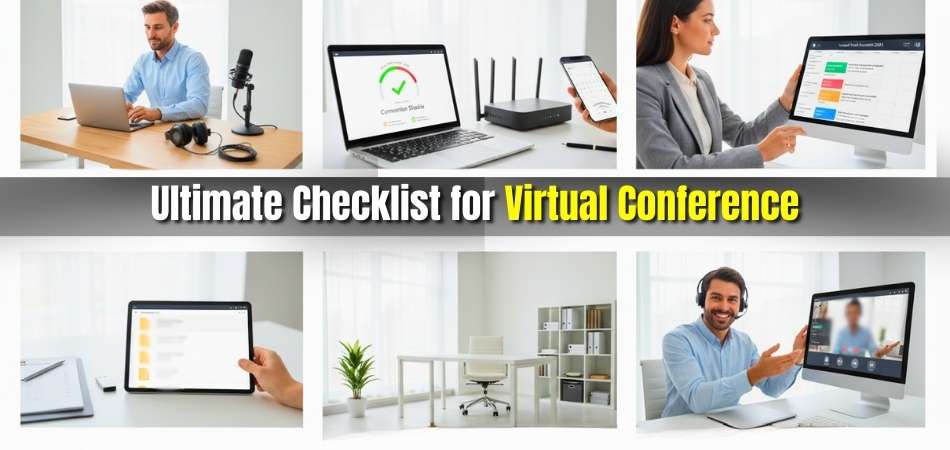
Running a virtual conference isn’t just about logging into a platform; it’s about creating a professional, interactive experience that connects people across locations. Whether you’re planning an academic summit, a corporate workshop, or a business event, having the ultimate checklist for virtual conference ensures every small detail aligns perfectly from start to finish.
This checklist walks you through all the essentials, including setting event goals, choosing the right platform, confirming speakers, testing microphones, designing branded slides, and planning your marketing timeline. It also covers pre-event rehearsals, live-day monitoring, and post-conference feedback, helping you manage your event smoothly without missing a single step.
If you want your virtual conference to feel professional, organized, and engaging from start to finish, this guide has you covered. Keep reading to explore detailed templates, ready-to-use checklists, and proven tips that make online event planning simple, structured, and stress-free.
Ultimate Checklist for Virtual Conference: Before, During, and After the Event
A successful virtual conference depends on planning, timing, and teamwork. Every small detail, from technical readiness to participant engagement, plays a key role in creating an event that feels both smooth and memorable. Here you’ll find the checklists for before the event, during the event, and after the event.
Pre-Event Checklist
Define Your Event Goals and Audience
Start with a clear purpose: is your event educational, promotional, or collaborative? Knowing your goal helps shape the agenda, invite the right speakers, and align content with your audience’s needs. Clarity at this stage guides all later decisions and ensures measurable outcomes.
Select the Right Virtual Platform
Choose a platform that matches your audience size and interaction style. Compare Zoom, Hopin, Airmeet, or Whova for features like breakout rooms, Q&A, and analytics. Prioritize reliability, mobile accessibility, and integrations for registration or email tools to simplify event management.
Confirm Speakers and Run Technical Rehearsals
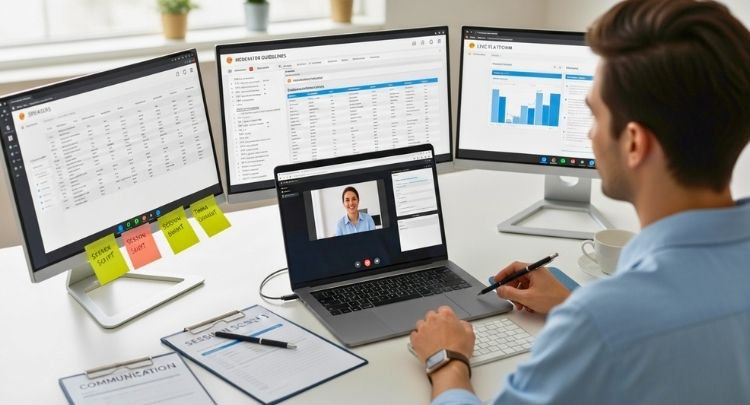
Invite speakers early, provide presentation guidelines, and schedule a rehearsal to test microphones, slides, and screen sharing. A practice session helps presenters build confidence and prevents technical surprises on the event day.
Prepare Branding and Visual Materials
Create cohesive visuals, virtual backgrounds, slide templates, and event intro screens. Consistent branding adds professionalism and familiarity for attendees. Test all visual assets for clarity and readability across devices.
Promote and Register Attendees
Plan a marketing timeline that includes social posts, email campaigns, and partnership promotions. Use registration reminders and confirmation emails to boost attendance. Track sign-ups to anticipate audience size and engagement levels.
Plan for Technical Stability
Check your internet speed, lighting, and audio setup. Have a backup device, an alternate internet connection, and a technical support contact list ready. Conduct a complete system test before the big day. These same practices apply whether you’re managing a global event or hosting a conference in Canada, where varying time zones and participant locations make preparation even more important.
During Event Checklist
Set Up Early and Test Everything
Log in at least 30 minutes before the event starts. Check all speaker connections, audio quality, and shared files. Greet early attendees with a welcome slide or background music while final adjustments are made.
Engage Participants Actively
Use live polls, Q&A sessions, and chat discussions to make your event interactive. Encourage moderators to acknowledge attendee questions and highlight key comments. Engagement maintains energy and prevents fatigue in long sessions.
Monitor Time and Session Flow

Assign a timekeeper or use alerts to ensure every session stays on schedule. Maintain smooth transitions between speakers and avoid silent gaps. Keep communication open between hosts and moderators via chat or messaging tools.
Manage Technical Issues Quickly
Expect occasional glitches; have your tech support ready in a private chat or separate line. If a presenter loses connection, shift temporarily to another session or filler activity until resolved. Calm handling builds professionalism.
After Event Checklist
Send Thank-You Emails and Certificates
Within 24 hours, thank attendees, speakers, and sponsors. Include recordings, slides, or event resources as added value. Certificates of participation help increase satisfaction and brand recall.
Gather Feedback and Insights
Send a short feedback form asking about content quality, technical experience, and suggestions. Analyze responses to identify improvement areas for future events. Feedback adds authenticity and credibility to your brand.
Review Metrics and Performance
Evaluate registration numbers, attendance rates, engagement levels, and lead conversions. Use platform analytics to understand audience behavior. Compare these metrics with your goals to measure success accurately.
Create on-demand and Follow-up Content
Repurpose recorded sessions into short clips or highlight reels. Share them on social media or your website to extend visibility. A post-event email with these resources keeps your audience engaged even after the conference ends.
Hold a Team Debrief and Archive Documents
Gather your team to discuss lessons learned and review task efficiency. Save all checklists, chat transcripts, and performance notes in one folder for easy reference before your next event.
Smart Budgeting for a Successful Virtual Conference
Creating a virtual conference that runs smoothly and stays on budget takes thoughtful planning. A good financial plan doesn’t just limit costs; it gives you control. It helps identify which areas deserve investment and which can be simplified or handled creatively. Below are the essential points to consider when preparing your virtual conference budget with confidence and clarity.

Identify Your Core Priorities
Before assigning numbers, decide which parts of your event matter most — such as technology, speakers, or audience engagement. When you define priorities early, it becomes easier to allocate funds in a way that supports your overall goals instead of spreading your budget too thin.
Plan Platform and Technical Expenses
Your hosting platform and technical setup often take the largest share of your budget. Research tools that balance reliability with cost efficiency. Compare subscription models, attendee limits, and features like breakout rooms or analytics. Always include an allowance for backup internet or troubleshooting support.
Include Speaker and Content Costs
Speakers, moderators, and content creators deserve fair compensation for their time and expertise. Set aside funds for honorariums, presentation materials, and content design. Quality content reflects directly on your event’s credibility and helps keep audiences engaged throughout.
Set Realistic Marketing Allocations
Marketing determines how many people know about your event. Reserve a clear portion of your budget for email campaigns, social media promotion, and collaborations with partners or influencers. Effective promotion often multiplies your return by bringing in a larger, more engaged audience.
Track Progress and Adjust Regularly
Smart budgeting for a virtual conference requires active monitoring. Keep all expenses documented, review spending weekly, and adjust if certain categories exceed expectations. This flexibility allows you to redirect funds toward urgent needs without disrupting the overall plan.
Focus on Long-Term Value
When budgeting for a conference, think beyond the single event. Consider reusable assets like branded templates, video recordings, or engagement tools that can serve future events too. Investing in quality resources upfront can save time and money in the long run.
Review and Optimize After the Event
Once the conference ends, compare actual costs with your initial estimates. Identify areas where you overspent or saved unexpectedly. This post-event review strengthens your financial strategy and makes future events easier to plan efficiently.
Building Strong Sponsorships and Partnerships for Virtual Conferences
Sponsorships add credibility, financial stability, and extra visibility to your event, but in a virtual setting, they also need creativity. When done thoughtfully, sponsors become part of the experience rather than background logos. This section focuses on building strong partnerships that benefit both organizers and sponsors while enhancing attendee value. Let’s explore how to make that happen.
Offer Visible and Valuable Placement Opportunities
Instead of limiting sponsors to banners or logos, integrate them directly into sessions. Give sponsors a brief speaking slot, a short video showcase, or branded virtual booths. Visible placements tied to valuable content help sponsors gain attention without interrupting the event flow.
Create Sponsored Content Segments
Invite sponsors to host mini-workshops, expert talks, or Q&A sessions related to your conference theme. These sponsored segments add educational value for attendees while positioning sponsors as credible contributors, not just advertisers.
Provide Tiered Sponsorship Packages
Different budgets call for flexible options. Design multiple levels of gold, silver, and bronze with varying benefits such as banner displays, co-branded materials, or priority speaking slots. Clear tiers make it easier for potential partners to choose their involvement level.
Highlight Sponsors in Event Marketing
Include sponsor names and logos in all pre-event promotions like email campaigns, social media posts, and landing pages. Recognition before the event builds anticipation and helps partners reach a wider audience from the start.
Add Post-Event Recognition and Reports
After the conference, send personalized thank-you notes and performance summaries showing sponsor reach, impressions, and engagement stats. These insights demonstrate professionalism and increase the chances of future collaborations.
Focus on Mutually Beneficial Relationships
Successful sponsorships aren’t one-sided. When sponsors feel their goals are respected and integrated seamlessly, they’re more likely to return for future events. A collaborative mindset turns partnerships into long-term allies rather than one-time contributors.
Coordinating Speakers and Moderators for a Smooth Virtual Flow
Strong coordination between speakers and moderators can turn an ordinary session into a polished, professional experience. Their collaboration shapes the tone, pacing, and overall engagement level of your virtual conference. Let’s explore some practical ways to align both roles for seamless communication and confident delivery.
Establish Clear Roles and Responsibilities
Define what each person will handle during the session, from introducing speakers to managing questions or monitoring chat. A clear division of tasks prevents confusion and ensures every part of the session runs smoothly.
Host a Joint Rehearsal Before the Event
Bring speakers and moderators together for at least one technical and content rehearsal. Practice introductions, transitions, and time management. This collaboration helps both parties understand each other’s rhythm, reducing on-the-spot miscommunication.
Create a Shared Session Plan
Prepare a simple outline that lists session timings, topic transitions, and engagement breaks. Share this document with both speakers and moderators. Having a synchronized plan makes it easier to adapt quickly if time runs short or a speaker faces technical issues.
Encourage Active Interaction During the Session
A moderator’s role is to keep energy consistent and maintain audience involvement. They should ask follow-up questions, summarize key takeaways, and guide discussions naturally. This teamwork keeps conversations balanced and lively throughout the event.
Provide Support and Real-Time Communication Channels
Set up a private chat or backchannel for instant coordination. This allows moderators to alert speakers about time cues, audience questions, or technical notes discreetly. Real-time communication ensures a smooth and professional flow.
Share Post-Session Feedback and Insights
After each session, gather feedback from both the audience and the team. Share engagement stats, attendee comments, and improvement suggestions with speakers and moderators. Constructive feedback strengthens their collaboration for future events and builds a consistent presentation standard.
How to Create Meaningful Networking Opportunities in Virtual Conferences?
Even the most visually engaging event feels incomplete without a genuine human connection. Networking remains one of the main reasons people attend conferences, whether in person or online. In a virtual setup, you can still recreate those spontaneous hallway conversations through thoughtful planning and interactive tools. Let’s look at ways to make networking both natural and rewarding in an online space.
Use Dedicated Networking Sessions
Schedule separate time blocks for networking, just as you would at an in-person event. Host themed breakout rooms or small-group discussions based on interests or industries. Structured yet casual networking moments encourage real connections and keep participants engaged beyond presentations.
Incorporate AI-Driven Matchmaking Tools
Many virtual platforms now offer smart matching systems that connect attendees with similar goals or backgrounds. These tools save time, reduce awkward introductions, and make each interaction more purposeful, especially for large international events.
Encourage Icebreakers and Group Chats
Simple prompts like “Share your biggest conference takeaway” or “Tell us your favorite productivity tool” can spark meaningful conversations. Design moderators or community leads to guide small-group discussions and keep energy flowing naturally.
Create Post-event Communities
Keep your attendees connected long after the conference ends. Build LinkedIn or Slack groups where participants can continue discussions, share ideas, and collaborate. This ongoing engagement strengthens relationships and extends your event’s influence beyond its closing session.
Blend Networking With Engagement Activities
Mixing light competitions, polls, or collaborative tasks can turn networking into something fun and memorable. Games, digital scavenger hunts, or “find someone who” challenges encourage interaction in a relaxed, enjoyable way.
What to Do When Technical Glitches Interrupt Your Event?
Even the most carefully planned virtual conference can face unexpected technical issues. What matters most is how calmly and efficiently you respond. Quick thinking, preparation, and communication can turn a potential disaster into a minor delay. Here’s how to handle disruptions without losing your audience’s trust or momentum.
Create a Clear Backup Plan Before the Event
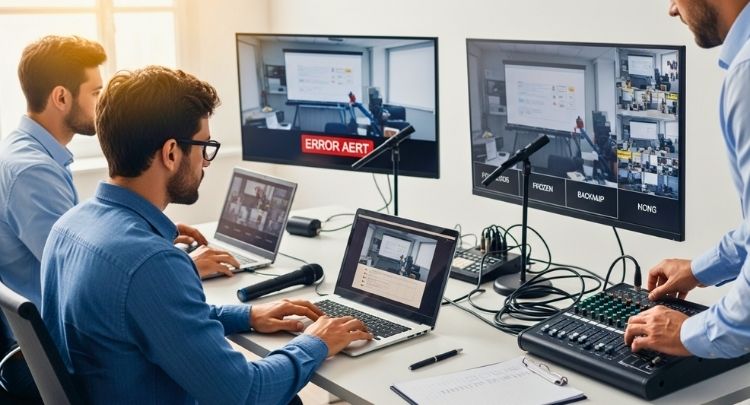
Have an alternate platform, spare devices, and backup internet ready in case your main system crashes. Prepare a quick step-by-step protocol for your team so everyone knows what to do when a glitch occurs. A solid contingency plan prevents confusion and ensures quick recovery.
Assign a Real-Time Technical Support Team
Designate a few team members to monitor live sessions exclusively for technical problems. They should manage a private chat or hotline to assist speakers and attendees instantly. This proactive support system minimizes interruptions and helps keep sessions on track.
Use a Private Communication Channel for Organizers
Keep the organizing team connected through a side channel like Slack, WhatsApp, or Zoom chat. If something fails, this allows fast coordination behind the scenes without disrupting the live audience. Smooth internal communication is key to maintaining professionalism under pressure.
Prepare Backup Presentations and Media Files
Upload all slides, videos, and session materials to a shared drive before the event. If a speaker disconnects or loses access, the moderator can continue sharing the content until they return. This simple preparation avoids awkward pauses and keeps engagement steady.
Communicate Clearly With Attendees
When a glitch happens, be transparent but calm. A brief message such as, “We’re experiencing a short technical issue and will resume in a moment,” reassures participants that the situation is under control. Clear communication builds confidence and keeps audiences patient.
Test and Practice Recovery Scenarios in Advance
During pre-event rehearsals, simulate possible failures like frozen screens or lost audio. Practicing these responses helps the team stay composed when real issues arise. Familiarity reduces panic and ensures smoother handling during live sessions.
Review and Document Issues After the Event
Once the conference ends, list every technical problem and how it was resolved. This record becomes a valuable guide for improving future event stability. Learning from past glitches strengthens your team’s ability to handle future challenges confidently.
Evaluate Event Performance and Collect Meaningful Feedback
Success isn’t defined by how smoothly a virtual conference runs; it’s measured by what you learn from it. Every event offers valuable lessons about audience engagement, organization, and delivery. Let’s explore practical ways to evaluate event performance and collect meaningful feedback that drives continuous improvement.
Set Clear Evaluation Metrics Before the Event
Before you can measure success, define what it looks like. Identify metrics such as registration numbers, live attendance, engagement rates, and average session duration. Predefined benchmarks make it easier to assess whether your goals were achieved and highlight where improvements are needed.
Use Built-In Platform Analytics
Most virtual event platforms offer detailed reports on participation, chat activity, and session engagement. Review these analytics to understand audience behavior, like which sessions kept people logged in longest or which polls received the most responses. These insights also reveal ways to make conferences more engaging, helping you refine strategies for stronger attendee interaction in future events.
Distribute Post-Event Surveys Promptly
Send short, focused surveys within 24 hours of the conference. Ask participants about session quality, speaker delivery, and technical experience. Include open-ended questions for authentic feedback. Timely surveys capture fresh impressions and increase response rates, giving you honest insights while the event is still top of mind.
Collect Feedback From Speakers and Sponsors
Don’t limit feedback to attendees alone. Reach out to speakers and sponsors for their experiences with organization, support, and exposure. Their input helps you identify what worked behind the scenes and where you can improve future collaborations or communication.
Host a Team Debrief Session
Gather your organizing team soon after the event to review performance, challenges, and lessons learned. Discuss what went smoothly and what required last-minute fixes. This open conversation helps build stronger teamwork and ensures everyone aligns on improvement priorities.
Analyze and Document Key Findings
Compile all survey data, platform reports, and team notes into a structured summary. Highlight both strengths and weaknesses with supporting numbers or examples. A well-documented evaluation acts as a reference point for planning your next conference efficiently.
Implement Feedback for Future Events
Use your findings to shape upcoming conferences—whether it’s refining agenda formats, improving speaker training, or investing in better technology. Turning insights into tangible changes demonstrates growth and helps build a reputation for professionalism and attendee-focused planning.
Essential Steps to Take After a Virtual Conference
Hosting a successful virtual conference doesn’t end when the last session closes. What happens next determines how well your event’s value continues to grow. Post-event actions help you strengthen relationships, evaluate performance, and prepare for future success. Let’s explore the essential steps to take after a virtual conference to ensure lasting impact and professional follow-through.
Send Personalized Thank-You Messages
Within 24 to 48 hours, send personalized thank-you emails to speakers, sponsors, and attendees. Acknowledge their contribution and participation sincerely. Include highlights from the event, links to recordings, or post-event resources. A simple message of appreciation strengthens relationships and leaves a positive impression for future collaborations.
Share Event Highlights and Recordings
Upload session recordings, panel discussions, and key presentations to a secure platform or public page. Sharing these materials extends the event’s life and allows attendees to revisit valuable insights. Highlight clips can also be repurposed for marketing or shared on social media to attract future participants.

Review Feedback and Analytics Reports
Collect all post-event surveys and platform analytics in one place. Study attendance trends, engagement levels, and participant feedback carefully. Understanding what worked and what didn’t helps refine your strategy for future events and ensures continuous improvement across all stages of planning.
Conduct a Team Debrief and Evaluation
Hold an internal debrief session with your organizing team. Discuss strengths, weaknesses, and challenges faced during the event. Document lessons learned and note suggestions for improvement. A transparent team review builds accountability and creates a foundation for smoother coordination in upcoming conferences.
Recognize Sponsors and Contributors Publicly
Give visibility to sponsors, partners, and speakers through public acknowledgments. Share appreciation posts on LinkedIn or your event website. Recognizing contributors not only builds goodwill but also strengthens partnerships for future collaborations.
Organize Post-Event Networking Opportunities
Keep your attendees connected beyond the main event. Create a dedicated online community where participants can continue discussions, share resources, or connect professionally. Continued engagement transforms a single conference into an ongoing learning and networking experience.
Archive and Document Key Resources
Store all event materials, including chat transcripts, session recordings, and reports, in a shared drive or internal database. Organized documentation saves time when planning the next conference and helps track long-term event progress.
Tips for Continuous Improvement in Virtual Event Planning
A great virtual conference isn’t just a one-time achievement; it’s part of an ongoing learning process. Every event offers lessons that can make the next one smoother, smarter, and more engaging. Continuous improvement helps organizers stay adaptive, creative, and aligned with attendee expectations. Here are a few practical tips to help you keep evolving with each event:

- Review Each Event Critically: After every conference, assess what worked well and what could be improved. Use data, team feedback, and attendee surveys to identify gaps and opportunities for refinement.
- Encourage Team Learning and Training: Motivate your organizing team to attend webinars, courses, or other conferences. Exposure to new ideas and tools helps everyone stay current with evolving virtual event trends.
- Stay Updated with Technology: Regularly test and compare new event platforms, engagement tools, and analytics features. Upgrading to better solutions can simplify management and improve participant experience.
- Document Processes and Best Practices: Keep detailed records of your planning steps, tools used, and challenges faced. This documentation becomes a valuable guide for new team members and future event planning.
- Implement Feedback Effectively: Turn constructive feedback into action. Whether it’s adjusting session length, improving visuals, or enhancing networking tools, applying small changes consistently leads to major improvements over time.
- Benchmark Against Industry Standards: Compare your conference’s performance with similar events. Benchmarking helps you set realistic goals and ensures your virtual conference stays competitive and relevant.
Frequently Asked Questions
Even with a complete checklist, organizers and attendees often have practical questions about hosting or participating in virtual conferences. This section answers some of the most common queries to help ensure smooth planning, confident execution, and lasting impact for every online event.
What Are The Ideal Session Durations For Virtual Conferences?
The best session length depends on your audience and topic, but generally, 30–45 minutes works well. Shorter sessions prevent fatigue and keep engagement levels high. For panel discussions or workshops, include brief interactive breaks to maintain attention throughout.
How Can I Make Virtual Conferences Feel More Interactive?
Incorporate polls, live Q&A sessions, and small breakout discussions. Encourage attendees to participate through chat or reactions. Interactive visuals and real-time feedback help create a sense of connection even in an online setting.
What Should Speakers Avoid During Virtual Presentations?
Speakers should avoid reading slides word-for-word, using poor lighting, or ignoring the camera. Keeping slides visually clean, maintaining eye contact, and using natural gestures make the delivery feel authentic and engaging.
Are Virtual Conferences Suitable For Networking?
Absolutely. Virtual conferences can replicate in-person networking through breakout rooms, digital lounges, and matchmaking tools. Creating structured interaction opportunities helps attendees connect meaningfully despite the physical distance.
How Far In Advance Should I Start Planning A Virtual Conference?
Ideally, start at least six to eight weeks before the event. This timeline allows enough time for platform setup, speaker confirmation, promotion, and rehearsals. Larger or multi-day events may need even more preparation time.
What Kind Of Technical Setup Do Attendees Need?
A stable internet connection, webcam, microphone, and updated browser are usually sufficient. Encourage attendees to test their devices before joining to avoid last-minute issues and ensure smooth participation.
How Can I Keep Attendees Engaged During Long Events?
Use a mix of session formats such as interviews, panels, and live demonstrations. Offer short stretches or coffee breaks, and include visual storytelling or real-life case studies to keep energy levels high.
Can Virtual Conferences Support Global Audiences?
Yes. Virtual events are ideal for international reach. Schedule sessions at globally convenient times, offer recorded replays, and provide captions or translation options to make your conference inclusive for all participants.
How Should I Handle Low Attendance Or Drop-Off Rates?
Focus on quality engagement rather than sheer numbers. Follow up with those who missed sessions by sharing recordings and summaries. Consistent communication and post-event follow-ups can still build long-term interest.
What Are The Best Ways To Measure A Virtual Conference’s Success?
Track metrics like attendance rates, session duration, feedback scores, and sponsor satisfaction. Combining data from analytics and surveys gives a balanced view of performance and helps guide improvement for future events.
Conclusion
Success in a virtual event depends on preparation, adaptability, and meaningful engagement. Using a structured approach helps you create meaningful connections, maintain engagement, and handle challenges confidently.
Every stage from pre-event setup to post-event reflection plays a vital role in shaping the attendee experience. By focusing on clear objectives, teamwork, and continuous improvement, you can transform a standard online event into a polished, professional experience.
With the right strategy and structure, applying insights from the ultimate checklist for virtual conference ensures each event grows stronger, more organized, and more impactful than the one before.